Fees and payments
Sports academy fee tracking
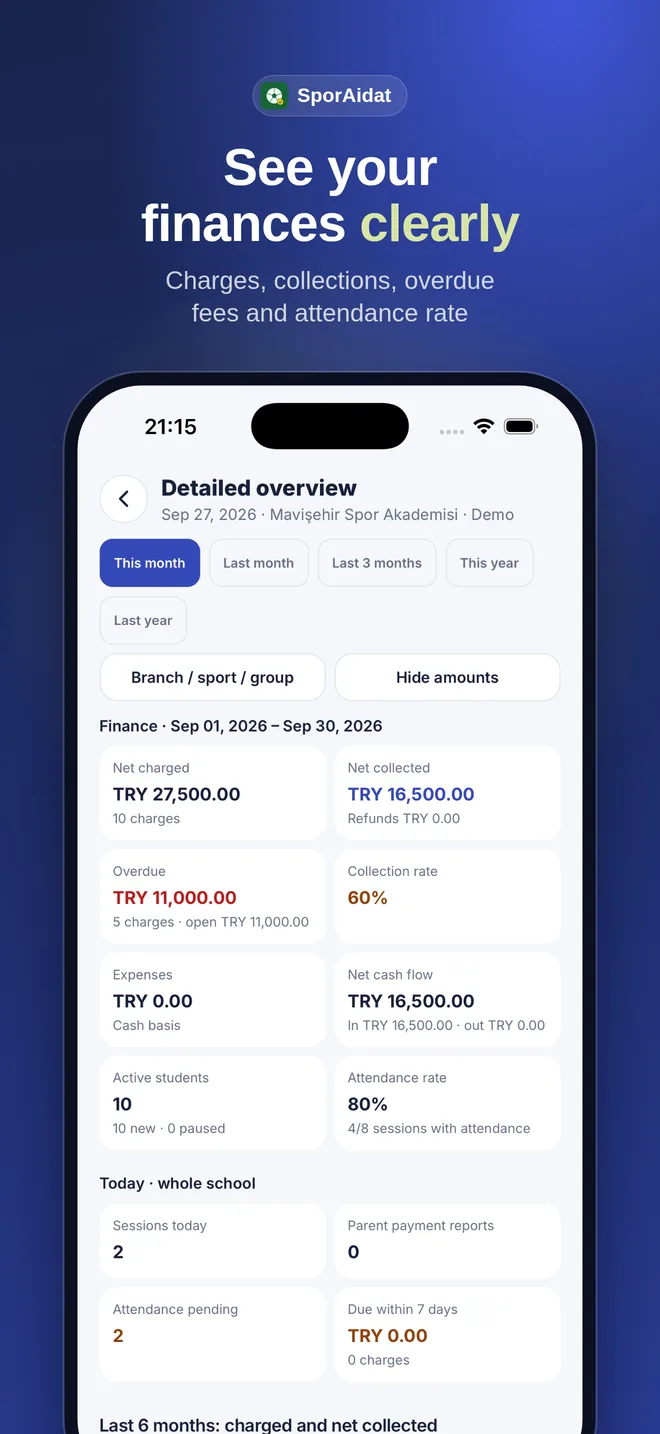
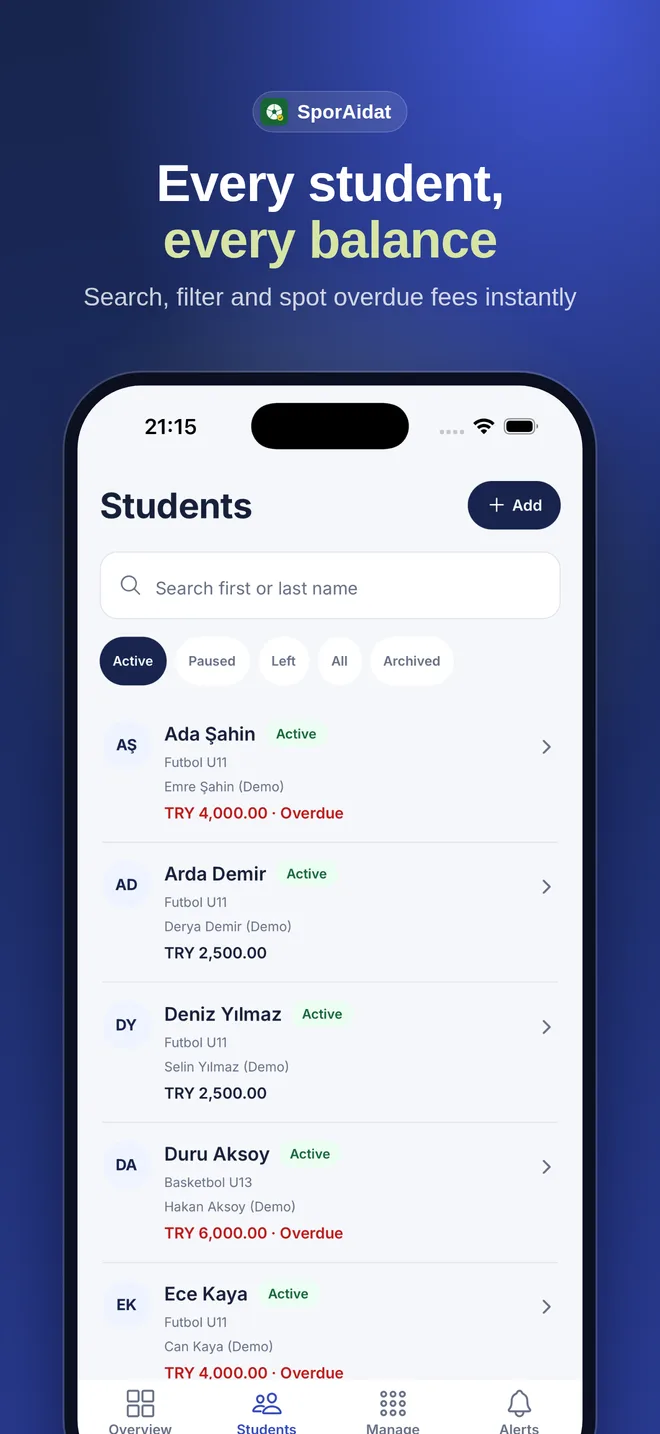
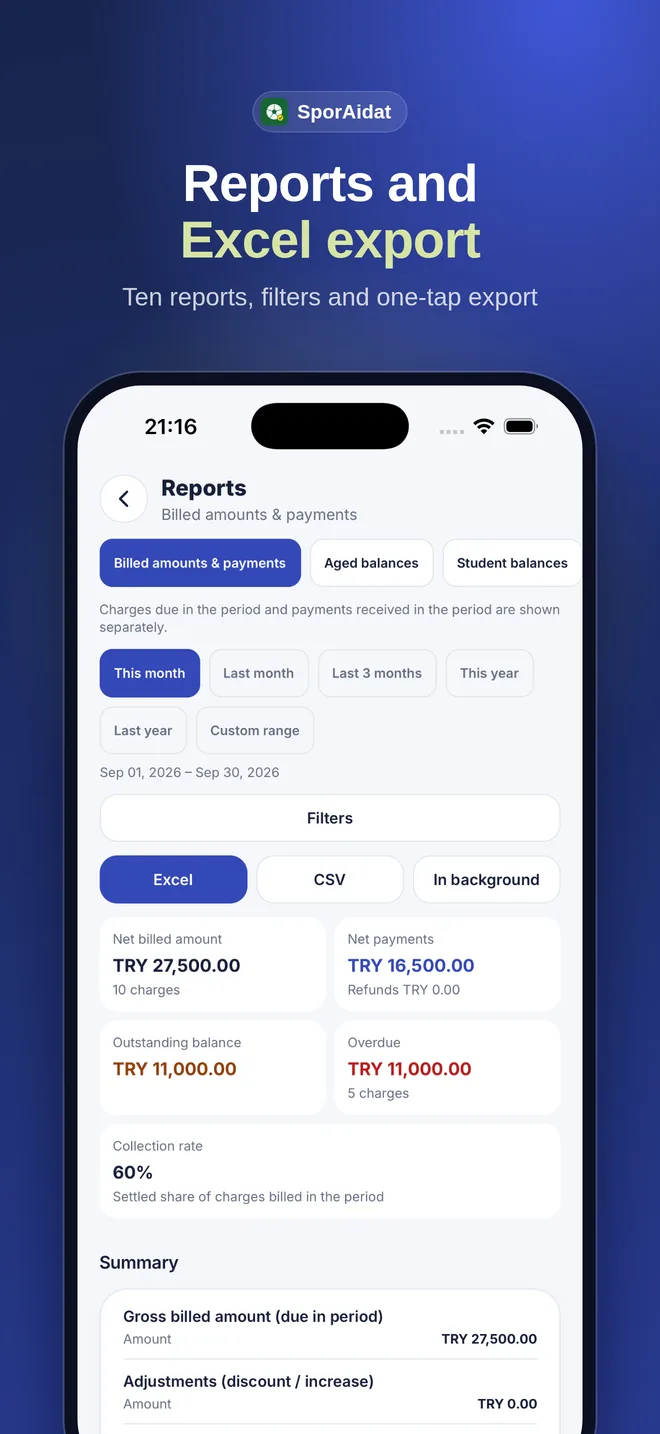
Each student record brings together the fee plan and payment history. Your team can follow monthly fees without switching between a ledger, bank statements and separate spreadsheets.
01
Monthly charges and student-specific fees
Create recurring charges based on a student’s group and recorded fee. Save individual discounts, custom rates and freezes on the student record, so the team can see why a charge differs.
- Review monthly charges by student and period.
- Record individual discounts and custom rates.
- Keep track of fee status when a student is frozen.
02
Partial payments, balances and history
When a payment does not cover the full fee, record the amount received and track the remaining balance on the same student record. Later payments remain visible alongside earlier entries, so staff can review which period each payment covers.
- Record the payment date, amount and method.
- See the remaining balance with payment history.
- Identify overdue fees in the follow-up list.
03
Reminders and parent updates
A parent can receive a notification as the due date approaches, on the due date and when a payment is late. Recording the payment stops the related reminder flow. SMS and WhatsApp delivery may incur separate provider and usage fees.
04
A practical day-to-day workflow
Add a student and their fee details first. The system prepares the charge for the period; staff record payments as they arrive and review balances or overdue items in the panel. Parents can follow fee information and payment notifications through their own access.