Classes and participation
Sports academy attendance tracking
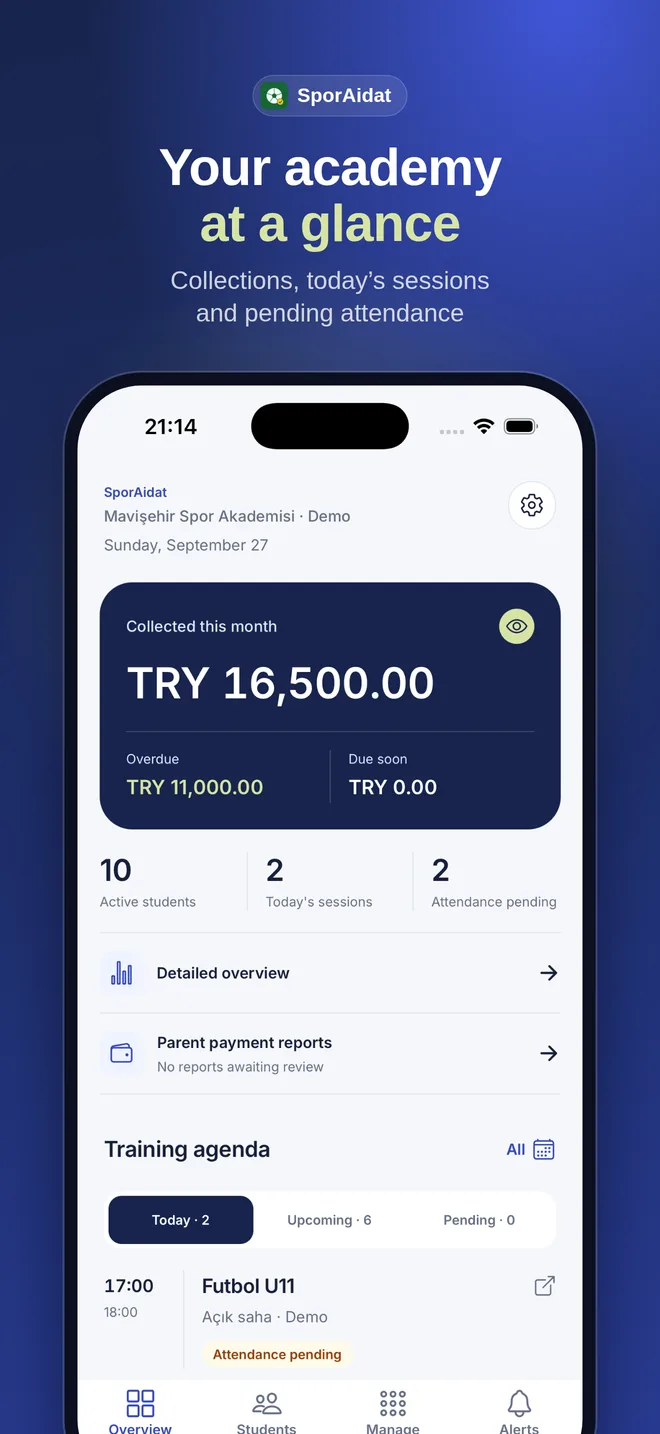
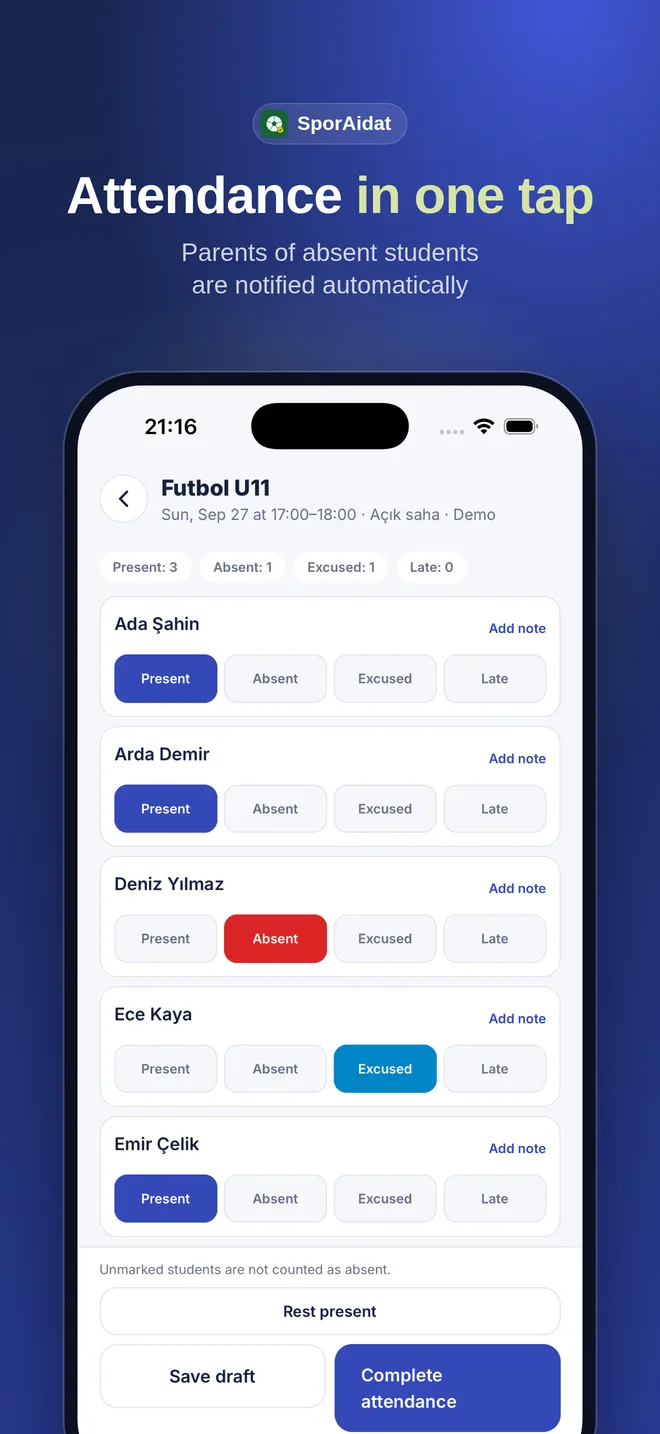
When a class begins, the coach opens the group and student list on a phone and records who attended. The attendance stays with the student record so the school can follow participation across sessions.
01
A short workflow for coaches
Coaches open today’s class for an assigned group, mark the students who attended and save the attendance. Coach views do not show financial information; they focus on the class and participation details needed for the session.
- View today’s classes and assigned groups.
- Mark attendance from one student list.
- Keep saved attendance in the student history.
02
Notice missed sessions in time
Once attendance is recorded, the school can see which training sessions a student attended. Parents can receive an absence notification, and consecutive missed sessions help staff spot records that may need follow-up.
03
From schedule to record
Classes are connected to groups and coaches. The school can review schedules, student records and attendance history in one system instead of reconciling separate lists at the end of a period.
04
Access by role
School staff manage groups and classes. Coaches record attendance for assigned classes. Parents follow their child’s schedule and attendance notices; athletes can see their own schedule and participation.